Table of Contents
Remote server management has evolved dramatically over the past decade, and as we approach 2026, the ability to control and troubleshoot hardware from anywhere isn’t just a convenience—it’s a critical business imperative. Whether you’re managing a sprawling data center across multiple continents or overseeing a compact server closet in a branch office, IP KVM switches have become the unsung heroes of IT infrastructure. These powerful devices bridge the gap between physical hardware and remote administrators, offering BIOS-level access that software-based solutions simply cannot match.
The landscape of IP KVM technology continues to advance at a remarkable pace, with emerging standards, enhanced security protocols, and sophisticated management features reshaping what’s possible in remote administration. Understanding these developments isn’t merely about staying current; it’s about making informed decisions that protect your infrastructure investments and empower your team to respond swiftly to any situation. This comprehensive guide walks you through everything you need to consider when evaluating IP KVM solutions for your organization, helping you navigate the complex terrain of features, specifications, and deployment strategies without getting bogged down in vendor-specific marketing speak.
Top 10 IP KVM Switches
Detailed Product Reviews
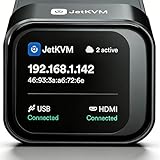
1. BitPC JetKVM Open-Source IP KVM Switch jetkvm Computer remotely Control lP/MAC/HDMl/USB Touchscreen LCD USB-C(Power/Keyboard/mouse) Mac/Windows/Linux,KVM Switches for Home Offices,Business,Data Center
Overview:
The BitPC JetKVM is an open-source IP KVM switch delivering 1080p video at 60 FPS with 30-60ms latency for responsive remote control. It enables browser-based access across Windows, macOS, and Linux without client software installation. The device runs on a Linux/Golang platform, supports SSH customization, and includes an RJ11 extension port for hardware modifications. Security features include local authentication, OIDC for remote access, and HTTP-only cookie tokens.
What Makes It Stand Out:
True open-source architecture distinguishes this KVM—users can modify firmware via SSH and patch software directly on the device. The RJ11 hardware expansion port enables custom integrations like temperature sensors or power control modules. Its WebRTC-based cloud infrastructure with STUN/TURN servers ensures reliable NAT traversal, providing secure direct connections even in restrictive network environments without subscription fees.
Value for Money:
Priced as a premium solution, it justifies cost through unlimited customization potential and zero ongoing subscription fees. While more expensive than basic KVM extenders, it offers enterprise-grade security and hackability that appeals to IT professionals and homelab enthusiasts. The free cloud infrastructure and continuous community-driven updates deliver substantial long-term value.
Strengths and Weaknesses:
Pros: Ultra-low latency streaming, genuine open-source flexibility, robust encryption standards, hardware extensibility via RJ11, cross-platform compatibility, free remote cloud access.
Cons: Limited to 1080p resolution (no 4K support), steep learning curve for non-technical users, requires manual firmware updates, hardware expansion demands DIY electronics skills.
Bottom Line:
Ideal for technically proficient users who value customization and security over plug-and-play convenience. The BitPC JetKVM rewards those comfortable with SSH and firmware modification, offering unparalleled flexibility. Casual users seeking simple remote access should consider more user-friendly alternatives.
2. JetKVM IP KVM PC Remote Control, Open Source Jet KVM Over IP Internet with Touchscreen LCD Ultra-Low Latency, Network IP KVM Switch Remote BIOS Access for Computer and Server

Overview:
This all-in-one JetKVM device combines IP KVM functionality with a built-in LCD touchscreen for local status monitoring. It streams 1080p video at 60 FPS with 30-60ms latency and provides BIOS-level remote access without software installation. The system supports ATX and DC power control options, runs open-source Linux/Golang firmware, and includes VPN protection for secure workflows. Hardware expansion is available through an RJ11 port.
What Makes It Stand Out:
The integrated touchscreen display enables real-time local monitoring while simultaneously providing remote access—particularly useful for server rooms. Dedicated ATX and DC power control modules (sold separately) allow complete power management including wake-on-LAN. The built-in VPN and WebRTC cloud infrastructure create a secure, subscription-free remote access ecosystem that bypasses restrictive corporate NAT policies.
Value for Money:
Competitively priced against proprietary IP KVMs, it eliminates costly licensing fees while adding hardware expansion capabilities. The free cloud service and included VPN functionality represent significant savings. Power control modules cost extra but transform it into a complete out-of-band management solution, delivering data center-grade features at a fraction of enterprise KVM prices.
Strengths and Weaknesses:
Pros: Built-in touchscreen for local management, ultra-low latency performance, comprehensive power control options, true open-source customization, free secure cloud access, dual video output support.
Cons: 1080p resolution limitation, power control modules sold separately, complex initial setup, documentation could be more comprehensive, requires Gigabit network for optimal performance.
Bottom Line:
Excellent for IT administrators needing local and remote server management capabilities. The touchscreen adds practical value for data center deployments, while open-source flexibility appeals to customization enthusiasts. Consider purchasing power control modules to unlock its full out-of-band management potential.
3. GL.iNet Comet (GL-RM1) Remote KVM Over Internet, 4K@30Hz Tailscale Support,Remote Keyboard, Video, Mouse, Install OS Via BIOS Control, Adapted KVM Switches for Home Offices,Data Center

Overview:
The GL.iNet Comet delivers 4K@30Hz remote KVM access with Tailscale VPN integration for secure connectivity. It supports BIOS-level control for OS installation and system recovery, making it suitable for remote IT management. The device offers instant file transfer capabilities, audio output, and one-click app-based connection. Compatible with laptops, desktops, and servers, it requires no software on controlled devices and includes wake-on-LAN functionality.
What Makes It Stand Out:
4K resolution support at 30Hz provides superior visual clarity compared to 1080p alternatives, crucial for detailed troubleshooting. Native Tailscale integration simplifies secure remote access without complex port forwarding. The instant file transfer feature eliminates third-party sync tools, streamlining remote workflows. Its plug-and-play app-based setup makes enterprise-grade remote management accessible to home office users.
Value for Money:
Mid-range pricing reflects its 4K capability and integrated Tailscale VPN. While not open-source, it offers superior out-of-box experience with polished software and mobile app support. The combination of high-resolution streaming, file transfer, and audio support delivers strong value for remote workers and small IT teams who prioritize ease-of-use over hackability.
Strengths and Weaknesses:
Pros: True 4K@30Hz resolution, Tailscale VPN integration, intuitive mobile/desktop apps, instant file transfer, remote audio support, simple setup process, wake-on-LAN capability.
Cons: 30Hz refresh rate may feel sluggish for fast-paced work, no open-source customization, limited hardware expansion, cannot use PD adapters, higher latency than some competitors.
Bottom Line:
Perfect for remote professionals and small businesses wanting high-resolution remote access without technical complexity. The GL.iNet Comet balances performance and usability, though power users may miss open-source flexibility. Choose this for 4K clarity and seamless Tailscale integration over customization potential.
4. AV Access 4K HDMI USB KVM Extender TCP/IP Over Single Cat5e/6/6a/7 up to 120M(390ft), 1080P@120Hz, Plug & Play, Keyboard & Mouse Over Network, Zero Latency, 3 Ports USB Hub, DIP up to 16 Sets

Overview:
This KVM extender transmits 4K@30Hz or 1080P@120Hz signals up to 120 meters over a single Cat5e/6/7 cable, creating a point-to-point extension rather than true IP KVM. It features a 3-port USB 2.0 hub, DIP switch pairing for up to 16 independent sets, and supports 7.1-channel audio. The system works with gaming consoles, PCs, and interactive displays across Windows, Mac, and Linux without drivers. Locking power connectors ensure reliable installations.
What Makes It Stand Out:
High refresh rate 1080P@120Hz mode provides ultra-smooth motion for gaming and fast cursor movement—uncommon in extenders. The DIP switch system allows 16 independent TX/RX pairs on one network, ideal for multi-room installations. Its “zero latency” design (sub-millisecond) suits interactive applications where IP KVM latency is unacceptable. The locking power connectors prevent accidental disconnects in permanent installations.
Value for Money:
Significantly less expensive than IP KVMs, it delivers reliable extension for fixed-location scenarios. The ability to run multiple sets via DIP switches adds scalability without complex networking. While lacking remote internet access, it provides superior video quality and responsiveness for local extensions, offering excellent ROI for control rooms, classrooms, and gaming setups.
Strengths and Weaknesses:
Pros: Exceptional 1080P@120Hz performance, true zero latency, 120m range, 16-set DIP switch scalability, integrated USB hub, locking power connectors, plug-and-play simplicity, multi-platform compatibility.
Cons: Not a true IP KVM (no internet remote access), requires Gigabit switch when networked, one-to-only-one pairing limits flexibility, no power control, bulky transmitter/receiver units.
Bottom Line:
Best suited for local extension applications where low latency and high refresh rates matter. Perfect for control rooms, digital signage, and gaming—not for remote internet access. If you need to extend signals within a building rather than across the internet, this cost-effective solution outperforms IP KVMs in responsiveness and video quality.
5. IP KVM Remote Control Over Internet, Remote KVM Over IP, 4K@60Hz,Simulate Keyboard Mouse Touch Screen Remote Operation PC,Servers, Install OS Via BIOS, Audio,Mini Screen, for Windows, Mac and Android

Overview:
This IP KVM delivers 4K@60Hz streaming with sub-80ms latency, supporting remote BIOS access, OS installation, and power management. It features both desktop app and web-based control, LOOP-out ports for local monitoring, and a mini screen displaying the IP address. The device includes TF card storage for virtual optical drive functionality, remote file transfer, audio support, and wake-on-LAN. Compatible with Windows, Mac, and Android devices, it requires no client software on controlled machines.
What Makes It Stand Out:
4K@60Hz resolution at this price point is exceptional, providing fluid high-resolution remote control. The TF card virtual optical drive enables remote OS installation without physical media—a standout feature for IT administrators. LOOP-out ports allow simultaneous local and remote access, simplifying troubleshooting. Its mini OLED screen provides at-a-glance network status, eliminating the need to scan for IP addresses.
Value for Money:
Offers the highest resolution and refresh rate combination among competitors at a competitive price. The inclusion of virtual optical drive functionality, LOOP-out ports, and mobile app support adds significant value. While latency is slightly higher than premium alternatives, the 4K@60Hz capability and comprehensive feature set make it a cost-effective choice for performance-conscious buyers.
Strengths and Weaknesses:
Pros: 4K@60Hz high-resolution support, virtual optical drive via TF card, LOOP-out for local access, mobile device compatibility, wake-on-LAN, mini status screen, dual control methods (app/web), remote audio.
Cons: <80ms latency higher than 30-60ms competitors, less polished software interface, no open-source customization, limited hardware expansion, documentation could be improved.
Bottom Line:
Excellent value for users prioritizing high-resolution remote access and OS installation capabilities. The 4K@60Hz performance and virtual optical drive make it ideal for IT professionals managing multiple systems. Accept slightly higher latency in exchange for superior video quality and unique features like LOOP-out ports. A solid mid-range choice bridging consumer and professional needs.
6. PiKVM V4 Mini IP KVM

Overview: The PiKVM V4 Mini is a Raspberry Pi-based IP KVM that delivers professional-grade remote server management in an open-source package. This compact device lets you control servers and PCs remotely via web browser, offering full keyboard, mouse, and video access from anywhere with true hardware-level interaction.
What Makes It Stand Out: True open-source design sets it apart from proprietary solutions. It provides complete BIOS/UEFI access for overclocking or troubleshooting, hardware-level power control via reset button connectors, and mass storage emulation for remote OS installation. The fanless passive cooling ensures silent operation, while the locator LED simplifies device identification in dense racks.
Value for Money: At a fraction of commercial IP KVM costs, this delivers enterprise features without licensing fees. Competing solutions from Avocent or Raritan cost 5-10x more. You’re trading plug-and-play simplicity for massive savings and community-driven improvements that continuously enhance functionality.
Strengths and Weaknesses: Strengths include unparalleled open-source flexibility, comprehensive remote management capabilities, and active community support. Weaknesses involve requiring technical expertise to configure, dependency on Raspberry Pi availability, and lack of official enterprise support. Setup can be complex for non-Linux users.
Bottom Line: Perfect for homelab enthusiasts, SMBs with technical staff, and budget-conscious organizations. If you can handle DIY configuration, it matches enterprise KVM functionality at an unbeatable price point.
7. GL.iNet Comet PoE (GL-RM1PE) Remote KVM Control Over Internet - PoE/Type - C Dual Power Option 4K@30Hz,32GB EMMC Tailscale Support for PC Server Remote Access Power Management Adapted KVM Switches

Overview: The GL.iNet Comet PoE brings professional remote KVM capabilities to small businesses and advanced homelabs. This compact device combines Power over Ethernet convenience with robust remote management features for PCs and servers, supporting 4K video streaming over the internet with ultra-low latency.
What Makes It Stand Out: Dual power options (PoE and USB-C) ensure maximum uptime and flexibility. Built-in Tailscale integration provides secure, zero-configuration VPN connectivity using WireGuard encryption. The 32GB eMMC storage pre-loaded with system images simplifies deployment and recovery, while H.264 hardware encoding delivers smooth 4K@30Hz video with two-way audio support.
Value for Money: Positioned in the mid-range, it undercuts enterprise IP KVMs by hundreds while including modern features like Tailscale that competitors lack. The PoE capability eliminates separate power infrastructure costs, making it cost-effective for distributed setups and reducing cable clutter significantly.
Strengths and Weaknesses: Strengths include flexible powering, excellent security architecture, crisp video quality, and integrated storage. Weaknesses are single-device limitation, 30Hz refresh rate at 4K resolution, and GL.iNet’s limited KVM market presence raising long-term support questions for critical deployments.
Bottom Line: An excellent choice for remote office management, home labs, and small deployments. The Tailscale integration and PoE flexibility make it particularly attractive for securely managing distributed systems without complex networking configurations.
8. TESmart 8X1 HDMI KVM Switch 8 Port 4K@30Hz, USB2.0 Rackmount KVM Enterprise-Grade EDID Emulator | Hotkey Switch | RS232 | LAN Port | IR Remote | IP Control | Auto Scan | with 8 Pcs 5ft KVM Cable

Overview: The TESmart 8-port HDMI KVM switch delivers enterprise-grade local server management in a rackmountable form factor. Control eight computers from a single console with comprehensive switching options and EDID emulation to prevent display configuration issues during source changes.
What Makes It Stand Out: Seven switching methods—including IR remote, keyboard hotkeys, mouse wheel, RS232, IP commands, and auto-scan—provide unmatched flexibility. EDID emulators on each input maintain optimal display settings when switching sources. The included eight 5ft KVM cables and USB 2.0 hub add immediate value for dense server environments.
Value for Money: Competitively priced for an 8-port enterprise KVM, it includes all necessary cables and advanced features typically found in pricier models. Comparable solutions from ATEN or Tripp Lite cost 20-30% more without the same switching versatility, making this a budget-friendly enterprise option.
Strengths and Weaknesses: Strengths include multiple control interfaces, rackmount design, EDID management, and comprehensive cable bundle. Weaknesses involve 4K@30Hz limitation (no 60Hz support), USB 2.0 speeds, and lack of true IP KVM for remote access—this is local-only management requiring physical proximity.
Bottom Line: Ideal for server rooms, data closets, and control centers needing reliable local access to multiple systems. The switching flexibility and included accessories make it a turnkey solution for IT professionals managing rack-mounted equipment without remote access requirements.
9. BitPC Open-Source IP KVM Switch JetKVM Extension Port DC Power Control

Overview: This DC Power Control extension enhances the JetKVM platform with remote power management for DC-powered devices. Designed for mini PCs, NAS units, and embedded systems, it enables complete remote control including power cycling through a standard 5.5×2.5mm connector with included adapters.
What Makes It Stand Out: The extension powers both connected devices and the JetKVM itself through a single RJ-12 connection, reducing cable clutter. Integrated RS-232 serial console access provides direct browser-based terminal connectivity for network equipment and servers. The open-source design encourages customization, supporting temperature sensors and mechanical button pressers for advanced automation.
Value for Money: As an affordable add-on, it transforms JetKVM into a complete out-of-band management solution for a fraction of traditional PDU+KVM costs. Competing solutions require separate serial console servers and managed PDUs costing significantly more, making this highly economical for targeted deployments.
Strengths and Weaknesses: Strengths include streamlined power delivery, serial console integration, and developer-friendly expandability. Weaknesses require the base JetKVM unit, limited 12-20V DC range excluding lower-voltage devices, and DIY implementation unsuitable for non-technical users or enterprise environments.
Bottom Line: Essential for JetKVM owners managing DC-powered infrastructure. The combined power and serial management capabilities make it invaluable for remote troubleshooting of mini PCs, embedded systems, and network equipment where traditional ATX power control isn’t available.
10. BitPC Open-Source IP KVM Switch JetKVM Extension Port ATX Extension Board

Overview: The ATX Extension Board adds hardware-level power management to JetKVM for standard desktop and server PCs. This control board interfaces with motherboard front panel connectors, enabling remote power, reset, and LED status monitoring through the JetKVM platform with clean integration.
What Makes It Stand Out: The included PCIe slot cover bracket enables clean, professional cable routing without consuming an actual PCIe slot. Dual headers allow simultaneous connection to both the JetKVM and original front panel buttons, preserving local access. The USB-C power input can energize both the board and JetKVM via RJ11 cable, simplifying installation.
Value for Money: This inexpensive extension delivers features found in enterprise IP KVMs costing hundreds more. It eliminates the need for separate IP-based PDU units for individual machines, making it economical for small-scale deployments and remote office setups.
Strengths and Weaknesses: Strengths include clean integration, preservation of local button functionality, and flexible powering options. Weaknesses involve requiring case access for installation, JetKVM dependency, and potential compatibility issues with non-standard motherboard headers or compact form factors.
Bottom Line: A must-have accessory for JetKVM users managing ATX-based systems. The thoughtful design maintains local accessibility while adding robust remote power management, making it perfect for remote desktop management and small server deployments where hardware-level control is critical.
Understanding IP KVM Technology: The Foundation of Remote Management
What Sets IP KVM Apart from Traditional KVM
Traditional KVM switches require direct physical connection through cables, limiting you to controlling servers from within the same room or rack. IP KVM technology revolutionizes this concept by encoding keyboard, video, and mouse signals into IP packets, transmitting them across standard network infrastructure. This fundamental shift means you can access servers from any location with network connectivity, transforming how IT teams approach maintenance, troubleshooting, and daily operations.
The magic happens through dedicated hardware compression engines that process video signals in real-time, delivering responsive remote experiences even over constrained bandwidth. Unlike RDP or VNC solutions that require an operational operating system, IP KVM provides out-of-band management access—meaning you can interact with servers during boot processes, in BIOS/UEFI settings, or when the OS has crashed completely.
How IP KVM Enables True Remote Management
True remote management extends far beyond simple screen sharing. Modern IP KVM solutions create a virtual presence that mirrors being physically in front of the server. You can mount ISO images as virtual media, perform firmware updates, configure RAID arrays, and execute complex diagnostic procedures—all without stepping foot in the data center. This capability proves invaluable during off-hours emergencies when travel to the facility isn’t feasible or safe.
The technology also enables collaborative troubleshooting, allowing multiple technicians to view the same session simultaneously while maintaining clear audit trails of who performed what actions and when. For organizations with limited on-site staff or those embracing dark data center concepts, this level of remote control isn’t just beneficial; it’s transformative.
The Evolution Toward 2026 Standards
As we move into 2026, IP KVM technology has matured beyond basic connectivity. The latest generations incorporate AI-driven bandwidth optimization, predictive maintenance alerts, and seamless integration with broader infrastructure management platforms. Video encoding has advanced to support multiple 4K displays at high refresh rates, while latency has been reduced to levels nearly indistinguishable from local connections.
These improvements reflect the changing nature of IT work itself—more distributed, more collaborative, and more dependent on reliable remote access. The focus has shifted from simply “making it work” to delivering experiences that enhance productivity and reduce the cognitive load on administrators managing increasingly complex environments.
Key Benefits of Modern IP KVM Solutions
Eliminating Geographic Constraints
Geographic flexibility stands as perhaps the most compelling advantage of IP KVM technology. A technician in Tokyo can reboot a frozen server in London, reconfigure network settings on a switch in São Paulo, and assist a colleague troubleshooting storage issues in Sydney—all before lunch. This global reach enables organizations to centralize expertise, reducing the need for specialized staff at every location while improving response times across the board.
The benefit multiplies for businesses with edge computing deployments, remote branch offices, or colocation facilities. Rather than maintaining technical staff at dozens of small sites, a centralized team can provide comprehensive support, dramatically reducing operational costs while maintaining service quality.
Reducing Physical Data Center Visits
Every truck roll to a data center represents both direct expense and indirect productivity loss. IP KVM solutions slash these visits by enabling remote resolution of issues that previously required hands-on intervention. Simple tasks like power cycling equipment, checking physical port status LEDs (through integrated cameras), or accessing serial console logs can be accomplished from anywhere.
This reduction in physical visits also improves data center security by limiting foot traffic and maintaining tighter access controls. During situations like severe weather, travel restrictions, or health concerns, the ability to manage infrastructure remotely ensures business continuity without compromising safety protocols.
Enhancing Disaster Recovery Capabilities
When disaster strikes—whether natural, technical, or malicious—time becomes your most precious resource. IP KVM switches provide the out-of-band access necessary to rebuild systems from bare metal, reconfigure network infrastructure, and restore services when primary management networks are compromised. They serve as the ultimate fallback mechanism, operating independently of production networks and systems.
In ransomware scenarios where production systems are encrypted, IP KVM access allows you to isolate affected equipment, boot from clean media, and begin recovery processes without exposing additional infrastructure to risk. This isolated management plane becomes your lifeline when everything else fails.
Improving Multi-Team Collaboration
Modern IT challenges rarely fall neatly within traditional silos. Network, storage, security, and systems teams often need to collaborate on complex issues. IP KVM solutions facilitate this teamwork by allowing multiple simultaneous viewers, session handoffs, and integrated chat functionality. Senior engineers can mentor junior staff remotely, vendors can assist with troubleshooting under controlled observation, and cross-functional teams can coordinate responses to incidents in real-time.
This collaborative capability extends to change management processes, where approvers can observe implementations remotely, providing immediate feedback and authorization without scheduling physical presence. The result is faster, more confident execution of critical changes with full audit trails.
Essential Features to Evaluate in 2026
Video Resolution and Frame Rate Support
The days of tolerating blurry, low-resolution remote video are long gone. When evaluating IP KVM solutions, scrutinize their video capabilities carefully. Top-tier systems now support dual or quad 4K displays at 60Hz, delivering crisp text rendering and smooth mouse movement essential for modern administrative workloads. Pay attention not just to maximum resolution but also to how the system handles dynamic content, video playback, and graphics-intensive applications.
Compression algorithms matter tremendously—look for hardware-based H.265/HEVC encoding that maintains quality while minimizing bandwidth consumption. Some solutions offer adjustable quality settings, allowing you to prioritize clarity when needed or conserve bandwidth during remote connections over cellular networks.
Multi-Monitor Configurations
Administrators increasingly rely on multi-monitor setups for productivity, and remote tools must reflect this reality. Evaluate whether potential solutions support your target configuration—whether that’s dual 1080p displays, triple 1440p monitors, or exotic arrangements mixing landscape and portrait orientations. The ability to map remote displays to local screens seamlessly, remember window positions, and switch between configurations quickly indicates a mature, administrator-focused product.
Consider how the solution handles mixed DPI scaling, especially when connecting from high-resolution laptops to servers with standard displays. The best implementations automatically adjust scaling to prevent microscopic text and misaligned mouse cursors.
Virtual Media Support
Virtual media functionality transforms IP KVM from a simple remote control tool into a comprehensive management platform. This feature allows you to mount local ISO files, USB drives, or folder directories to remote servers as if they were physically connected. During OS installations, firmware updates, or file recovery operations, this capability proves invaluable.
Assess the types of media supported—ISO images, physical USB devices, network shares—and the maximum file sizes or transfer rates. Some advanced solutions offer persistent virtual media that remains attached across reboots, while others provide temporary connections that automatically disconnect after use, enhancing security.
Serial Console Management
While video KVM handles graphical interfaces, serial console access remains essential for network equipment, storage arrays, and headless servers. Modern IP KVM appliances integrate serial ports alongside video channels, providing unified access to both console types through a single interface. This consolidation simplifies management and reduces rack space requirements.
Evaluate the number of serial ports, baud rate support, and whether the solution offers features like SSH key authentication, logging, and simultaneous serial sessions. For telecommunications or industrial environments with extensive serial equipment, dedicated serial console servers might integrate with IP KVM systems for seamless workflow.
Bi-directional Audio Capabilities
Often overlooked, audio support can be surprisingly useful in server management. Whether you’re listening to beep codes during POST, participating in conference calls while troubleshooting, or using screen reader software for accessibility, bi-directional audio adds another dimension to remote presence. Check for audio quality, latency, and whether the solution supports audio in virtual media sessions.
Security Considerations for Remote Access
Encryption Protocols and Standards
Security cannot be an afterthought when providing remote access to your most critical infrastructure. Insist on AES-256 encryption for all data streams, TLS 1.3 for web interfaces, and FIPS 140-2 validated cryptographic modules. The system should encrypt not just video and keyboard data but also virtual media transfers, serial console sessions, and administrative configurations.
Verify that encryption is mandatory and cannot be disabled, even in “trusted” network environments. Some solutions offer additional encryption options for specific compliance requirements, such as Suite B cryptographic algorithms for government deployments.
Multi-Factor Authentication Integration
Passwords alone provide insufficient protection for infrastructure access. Leading IP KVM solutions integrate with enterprise identity providers supporting SAML 2.0, OAuth 2.0, and RADIUS authentication. This allows enforcement of existing multi-factor authentication policies through hardware tokens, mobile push notifications, or biometric verification.
Evaluate how gracefully the system handles authentication failures, session timeouts, and re-authentication requirements. The best implementations offer certificate-based authentication for service accounts and API access, eliminating password management overhead for automated processes.
Role-Based Access Control
Granular permissions separate professional-grade solutions from basic remote access tools. Look for role-based access control that lets you define precisely who can access which servers, what actions they can perform, and when they’re allowed to connect. You should be able to create custom roles matching your organizational structure—separate permissions for network engineers, storage administrators, and help desk staff.
Advanced systems support attribute-based access controls, dynamically adjusting permissions based on factors like location, time of day, or current change management windows. This dynamic approach reduces administrative overhead while maintaining tight security.
Audit Logging and Compliance
Comprehensive logging transforms IP KVM from a potential security risk into a compliance enabler. Every connection attempt, command executed, and file transferred should generate detailed, tamper-evident logs. Seek solutions that integrate with SIEM platforms through syslog or REST APIs, enabling correlation with other security events.
For regulated industries, verify support for specific compliance frameworks—Common Criteria certification, NIST 800-53 controls, or ISO 27001 requirements. Features like screen recording, keystroke logging, and session watermarking provide additional layers of accountability for sensitive environments.
Scalability Planning for Growing Infrastructure
Port Density Options
Scalability starts with selecting the right port density for your current needs while planning for growth. IP KVM switches range from compact 8-port devices suitable for small racks to modular chassis supporting hundreds of connections. Consider not just server count but also the mix of video and serial ports needed. Some organizations deploy separate video and serial KVM networks, while others prefer consolidated appliances.
Think about physical rack space constraints—higher density units reduce rack footprint but may introduce single points of failure. Cascading multiple smaller units can provide redundancy and simplify upgrades, though at the cost of increased management complexity.
Cascading and Expansion Capabilities
No single switch can manage an entire enterprise indefinitely. Evaluate how potential solutions support cascading—connecting multiple KVM switches to create larger unified systems. The best implementations present cascaded ports as a single logical interface, allowing seamless navigation between thousands of servers without managing separate connections.
Consider the maximum cascade depth, performance impact, and whether cascading works across different product generations. Some vendors offer proprietary expansion modules that add ports without requiring full additional units, providing granular scalability.
Concurrent User Support
Your IP KVM solution must support your team structure, whether that’s a handful of administrators or dozens of global engineers. Assess the maximum number of simultaneous users, session types (view-only vs. interactive), and how the system handles contention when multiple users request access to the same server.
Advanced solutions offer session arbitration, allowing senior engineers to request control from junior staff, or collaboration modes where multiple users share control. For training purposes, some systems support broadcast sessions where one instructor demonstrates to many observers.
Mixed-Environment Management
Homogeneous data centers are increasingly rare. Your IP KVM solution must handle diverse hardware—different server vendors, varying generations of equipment, and mixed operating systems. Evaluate compatibility with PC, Mac, and Linux hosts, as well as specialized equipment like storage arrays, network switches, and power distribution units.
Consider support for virtual machines through integration with hypervisor management APIs, allowing unified control of physical and virtual infrastructure. This holistic approach eliminates tool sprawl and provides consistent workflows across your entire environment.
Connectivity Standards and Compatibility
USB-C and Thunderbolt Integration
The proliferation of USB-C and Thunderbolt ports on modern servers and laptops demands corresponding KVM support. These versatile connections carry video, USB data, and sometimes power over a single cable, simplifying rack cabling dramatically. Ensure any solution you consider supports USB-C video input natively, not just through adapters, and handles the full range of USB-C alt modes.
Thunderbolt support becomes crucial for managing high-performance workstations or specialized equipment requiring high-bandwidth connections. Evaluate whether the KVM switch maintains Thunderbolt certification and supports daisy-chaining for complex setups.
Legacy Port Support
While embracing modern standards, you can’t abandon legacy equipment still running critical workloads. Quality IP KVM solutions maintain support for VGA, DVI, PS/2, and older USB standards. Some offer intelligent conversion that adapts signaling between generations, allowing a modern laptop to control a decade-old server without compatibility issues.
Assess the mix of legacy ports you currently need and anticipate future requirements. The transition away from legacy equipment often takes years longer than planned, so choose solutions with generous legacy support to avoid premature replacement.
Network Interface Options
Network connectivity forms the backbone of IP KVM functionality. Evaluate whether solutions offer dual Ethernet ports for redundancy, SFP+ slots for fiber connectivity, and support for both IPv4 and IPv6. Some advanced units include built-in network bypass capabilities, ensuring access even during network reconfigurations or failures.
Consider power-over-Ethernet options for edge deployments where separate power infrastructure isn’t available. For highly secure environments, look for models with dedicated management ports that isolate KVM traffic from production networks.
Mobile Device Accessibility
The modern administrator doesn’t always have a laptop handy. Mobile accessibility through responsive web interfaces or dedicated apps enables quick checks and emergency actions from smartphones and tablets. Evaluate the quality of mobile experiences—screen readability, touch-optimized controls, and whether critical functions remain accessible on small screens.
Some solutions offer QR code-based quick access, allowing technicians to scan a server label and immediately connect without manually entering IP addresses. This convenience accelerates on-site work while maintaining centralized logging and authentication.
Performance Metrics That Matter
Latency and Responsiveness
Nothing frustrates remote administrators like laggy mouse movement or delayed keystrokes. Sub-100ms latency is the baseline expectation for 2026, with premium solutions achieving under 30ms for local network connections. Test responsiveness under various network conditions—simulated WAN links, VPN tunnels, and cellular connections—to understand real-world performance.
Pay attention to how latency affects different tasks. Text entry might tolerate moderate lag, but graphical work or precise mouse movements become painful with any delay. The best solutions adapt compression and buffering dynamically based on current network conditions and activity type.
Bandwidth Optimization
Bandwidth efficiency determines usability over constrained connections. Advanced IP KVM solutions employ multiple techniques: region-of-interest encoding that focuses bits on changing screen areas, adjustable quality settings, and intelligent compression that distinguishes between text and video content. Some offer bandwidth caps, ensuring the KVM system never overwhelms limited WAN links shared with production traffic.
Evaluate performance at your minimum expected bandwidth—many organizations need reliable operation over 1-5 Mbps connections. The ability to maintain functional access during network degradation separates robust solutions from those that fail when conditions aren’t perfect.
Session Persistence
Network interruptions shouldn’t terminate your session. Quality IP KVM solutions offer session persistence, automatically reconnecting and restoring your state after brief outages. This feature proves invaluable during lengthy firmware updates or file transfers that would be disastrous to interrupt.
Assess the timeout periods, whether sessions survive IP address changes (useful when switching between Wi-Fi and cellular), and if the system alerts you when connection quality degrades. Some solutions allow session handoff between devices, letting you start work on a laptop and seamlessly transfer to a desktop without losing context.
Load Balancing Features
For large deployments, load balancing across multiple KVM appliances ensures consistent performance and high availability. Evaluate whether solutions support active-active clustering, automatic failover, and session redistribution during maintenance windows. Some advanced systems integrate with global server load balancers, directing users to geographically optimal appliances.
Consider how load balancing affects licensing and capacity planning. Per-user licensing models may require careful calculation of concurrent session limits across clustered appliances to avoid unexpected denials of service.
User Experience and Interface Design
Web-Based vs. Native Client Access
The debate between web-based and native client interfaces continues evolving. Modern web technologies enable rich experiences without requiring software installation, ideal for contractors or administrators using locked-down corporate devices. However, native clients often deliver superior performance, additional features like file transfer integration, and better handling of special keys.
Leading solutions offer both options, with web clients providing quick access for occasional use and native clients for power users. Evaluate whether web clients require browser plugins (increasingly problematic in security-conscious environments) or leverage pure HTML5 and WebRTC technologies for broad compatibility.
Customizable Dashboards
Every administrator has different priorities. Customizable dashboards allow users to arrange server groups, monitoring widgets, and quick-action buttons according to their workflows. Look for drag-and-drop configuration, saved view templates, and the ability to share dashboards across teams.
Advanced systems offer context-aware dashboards that automatically display relevant information based on the currently selected server—showing recent logs, performance metrics, or pending change tickets. This contextual awareness reduces context-switching and accelerates problem resolution.
Keyboard Localization Support
Global teams use diverse keyboard layouts, and mismatches between local and remote layouts create frustrating input errors. Comprehensive IP KVM solutions support dozens of keyboard layouts, automatically detecting and mapping between client and server configurations. This includes support for specialized keys, dead keys for accented characters, and IME input for languages requiring composition.
Test keyboard handling for your specific languages and special characters used in passwords. Some solutions allow custom keyboard mapping for proprietary applications relying on non-standard key combinations.
Macro and Hotkey Functionality
Repetitive tasks multiply across hundreds of servers. Macro support—recording and replaying sequences of keystrokes and mouse actions—saves countless hours during initial provisioning or bulk configuration changes. Evaluate macro editing capabilities, parameterization, and whether macros can be shared across teams.
Hotkey customization lets you define shortcuts for common actions like switching between servers, toggling full-screen mode, or activating virtual media. The ability to map these to function keys or key combinations that don’t conflict with remote applications creates a seamless, efficient workflow.
Integration with Existing Management Tools
API Availability
True enterprise integration requires robust APIs. RESTful APIs enable automation, allowing ticketing systems to automatically grant time-limited access, configuration management tools to discover connected devices, and monitoring platforms to correlate KVM session data with performance metrics. Evaluate API completeness—does it cover all functions or only basic operations?
Consider webhook support for real-time notifications of connections, disconnections, or configuration changes. GraphQL implementations provide flexible data querying, while older SOAP APIs may indicate legacy architecture struggling to meet modern integration demands.
SIEM and Monitoring Platform Connections
Security information and event management systems thrive on data. IP KVM solutions should stream detailed logs to SIEM platforms, enriching security event correlation with physical access information. Look for pre-built connectors for popular SIEM solutions and standardized log formats like CEF or JSON.
Integration with infrastructure monitoring tools like Nagios, Zabbix, or commercial platforms allows KVM status to inform overall health dashboards. Some solutions can trigger KVM sessions directly from monitoring alerts, streamlining the “alert-to-investigation” workflow.
Directory Services Integration
Manual user management doesn’t scale. Integration with Active Directory, LDAP, or cloud identity providers like Azure AD and Okta ensures consistent access control across all systems. Evaluate synchronization frequency, support for nested groups, and whether the KVM system can query directory attributes for dynamic role assignment.
Consider how the solution handles directory outages—does it provide fallback authentication or cached credentials? For organizations using multi-forest Active Directory environments, verify that cross-forest authentication works seamlessly.
Ticketing System Compatibility
Change management processes often require ticket numbers for audit compliance. IP KVM solutions that integrate with ServiceNow, Jira, or other ticketing platforms can require ticket validation before granting access, automatically log session details to tickets, and enforce time limits based on ticket windows.
Evaluate whether the integration is bidirectional—can the KVM system update ticket status or add comments based on session events? This closed-loop integration strengthens change management processes while reducing administrative overhead for engineers.
Deployment Models: On-Premises vs. Cloud-Managed
Traditional Appliance Deployment
On-premises appliances remain the dominant deployment model, offering complete control over hardware, network configuration, and data residency. These physical devices install directly in your racks, connecting to servers via traditional KVM cables. You maintain full ownership, with no recurring subscription fees beyond support contracts.
Consider hardware durability, with industrial-grade components rated for data center temperatures and vibrations. Evaluate whether the appliance includes redundant power supplies, hot-swappable fans, and RAID storage for configuration data. These reliability features justify premium pricing for mission-critical deployments.
Hybrid Cloud Management Options
Emerging hybrid models combine on-premises appliances with cloud-based management planes. The actual KVM traffic remains local, ensuring low latency and data sovereignty, while configuration management, user authentication, and logging leverage cloud services. This approach simplifies multi-site management and reduces VPN complexity for distributed teams.
Assess what data actually traverses the cloud and whether the solution supports air-gapped operation if internet connectivity fails. For regulated industries, verify that cloud components meet relevant compliance standards and offer data residency guarantees.
Subscription-Based Service Models
Fully cloud-managed IP KVM services eliminate hardware ownership entirely, with vendors providing managed appliances and charging per-port monthly fees. This operational expense model appeals to organizations prioritizing agility over capital investment, with rapid provisioning and automatic updates handled by the provider.
Evaluate exit strategies—how easily can you migrate to alternative solutions? Consider data portability, contract terms, and whether the service supports hybrid scenarios mixing cloud-managed and self-hosted units during transition periods.
Edge Computing Considerations
Edge deployments present unique challenges: limited rack space, constrained bandwidth, and often harsh environmental conditions. Compact IP KVM solutions designed for edge computing prioritize low power consumption, passive cooling, and cellular connectivity options. Some integrate directly with edge orchestration platforms, automatically discovering and configuring access as new compute nodes are provisioned.
For retail, manufacturing, or IoT gateway scenarios, evaluate whether solutions support out-of-band management through alternative networks—perhaps a separate cellular connection that remains accessible even when primary WAN links fail.
Power Management Capabilities
Remote Power Cycling
Sometimes the only solution is a hard power reset. IP KVM solutions increasingly integrate with intelligent PDUs, allowing administrators to cycle power on specific outlets directly through the KVM interface. This integration eliminates the need for separate PDU management tools and provides coordinated control during complex recovery procedures.
Evaluate the breadth of PDU compatibility—does the solution support your existing power infrastructure or lock you into specific vendors? Advanced systems offer sequencing capabilities, powering devices on in specific orders with configurable delays to prevent inrush current issues.
Environmental Monitoring Integration
Temperature, humidity, and airflow directly impact server reliability. Leading IP KVM solutions integrate with environmental sensors, displaying real-time data alongside server consoles. Threshold alerts can automatically trigger camera snapshots or notify administrators of potential thermal issues before they cause outages.
Consider whether the solution supports third-party sensors or requires proprietary hardware. Integration with data center infrastructure management (DCIM) platforms provides holistic environmental awareness, correlating server performance with cooling efficiency.
PDU Coordination
Beyond simple power cycling, sophisticated PDU coordination enables power budgeting and load balancing across redundant supplies. IP KVM solutions can display current draw per outlet, identify underutilized circuits, and alert on abnormal power consumption patterns that might indicate hardware failures.
For organizations with dynamic provisioning, evaluate whether the KVM system can automatically assign PDU outlets when new servers are connected, maintaining accurate asset databases without manual updates.
Wake-on-LAN Support
While primarily a network function, Wake-on-LAN integration through IP KVM provides out-of-band wake capabilities even when network switches are powered down. This feature proves useful for labs and development environments where equipment is frequently powered off to conserve energy.
Assess how the KVM system tracks which servers support Wake-on-LAN and whether it can coordinate waking entire racks in sequence to prevent circuit overloads.
Firmware Updates and Long-term Support
Update Mechanisms and Automation
Firmware vulnerabilities can compromise your entire management plane. Evaluate update mechanisms—are they automated, scheduled, and reversible? The best solutions offer staged rollouts, updating appliances in waves while monitoring for issues, with automatic rollback capabilities if problems occur.
Consider whether updates require downtime or can be applied to clustered appliances without service interruption. Some vendors provide firmware as a service, continuously delivering security patches and minor improvements without major version upgrades.
Backward Compatibility Promises
Infrastructure lifecycles span years, not months. Vendors committed to long-term support maintain backward compatibility across multiple firmware generations, ensuring your existing hardware investments remain functional as new features are added. Seek explicit commitments about support duration and compatibility guarantees.
Evaluate the vendor’s history of forced obsolescence—have they discontinued older models prematurely or maintained support beyond advertised end-of-life dates? Community forums and customer references provide valuable insight into actual support experiences.
Vendor Support Lifecycle
Understanding the support lifecycle prevents unexpected expenses when equipment suddenly becomes unsupported. Premium vendors offer 5-7 year hardware warranty options and commit to firmware support for 10+ years. They maintain spare parts inventories and provide advance notice of discontinuation.
Consider the cost and availability of extended support contracts. Some vendors charge escalating premiums for aging equipment, while others maintain flat pricing throughout the supported lifecycle. Factor these long-term costs into total cost of ownership calculations.
Community and Firmware Security
Active security response distinguishes leading vendors. Research the vendor’s security disclosure program, patch release cadence, and historical response times to vulnerabilities. Do they publish security advisories and provide clear mitigation guidance?
Community engagement matters too—active user forums, detailed documentation, and open communication about roadmap priorities indicate healthy vendor relationships with customers. This transparency builds confidence in long-term partnership potential.
Budget Planning and Total Cost of Ownership
Initial Acquisition Costs
IP KVM pricing varies dramatically based on port count, feature sets, and brand reputation. Entry-level 8-port units might cost less than a single server, while enterprise chassis with hundreds of ports represent significant capital investments. Resist the temptation to oversize initially—many organizations purchase capacity they’ll never utilize within the equipment’s lifespan.
Consider modular approaches that allow incremental expansion. While per-port costs may be higher initially, this pay-as-you-grow model reduces waste and provides flexibility as requirements evolve. Factor in cable costs, which can add substantially to total deployment expenses.
Licensing Models Explained
Beyond hardware costs, licensing structures significantly impact long-term expenses. Per-port licensing seems straightforward but can penalize growth. Per-user models favor organizations with many servers but few administrators, while concurrent session licensing provides predictable costs. Some vendors offer unlimited licensing for a fixed fee, appealing for large-scale deployments but potentially overpriced for smaller environments.
Evaluate whether licenses are perpetual or subscription-based. Subscription models include ongoing updates but create recurring operational expenses. Perpetual licenses provide cost certainty but may require paid upgrades for major new features.
Maintenance and Support Contracts
Support contracts typically cost 15-25% of the initial purchase price annually, covering technical support, firmware updates, and hardware replacement. Assess what each support tier includes—24/7 phone support, dedicated account management, or on-site spare parts. For critical environments, premium support with 4-hour hardware replacement might justify higher costs.
Consider whether support contracts are mandatory to receive firmware updates. Some vendors tie security patches to active support contracts, effectively forcing ongoing payments to maintain secure operations.
Hidden Costs to Watch For
Beyond obvious line items, hidden costs can inflate budgets unexpectedly. Cable costs accumulate quickly—specialty KVM cables often cost 3-5 times more than standard network cables. Power consumption varies significantly between models, impacting long-term operational costs. Training expenses for complex systems require budget allocation.
Software integration costs frequently exceed hardware prices—custom API development, SIEM connector configuration, and directory integration consulting add up rapidly. Plan for these implementation expenses when evaluating total cost of ownership.
Implementation Best Practices
Network Segmentation Strategies
Never deploy IP KVM on production networks. Create dedicated management VLANs with strict access controls, separating KVM traffic from user and server data. Implement firewall rules limiting access to specific jump hosts or VPN concentrators. For maximum security, consider physically separate management networks using dedicated switches and cabling.
Evaluate whether the KVM solution supports multiple network interfaces for segregated traffic—perhaps one interface for user access, another for server connections, and a third for management functions. This defense-in-depth approach limits blast radius if one network segment is compromised.
Initial Configuration Steps
Secure deployment begins before rack installation. Change default passwords, disable unnecessary services, and apply the latest firmware before connecting any production servers. Establish certificate management processes, replacing self-signed certificates with properly signed ones from your internal PKI.
Configure logging to centralized collectors from day one. Define user roles and permissions based on principle of least privilege. Test authentication integration with a small pilot group before granting broad access. Document every configuration decision for future audits and disaster recovery.
User Training Requirements
Even the best technology fails without proper training. Develop role-based training programs—help desk staff need basic connection procedures, while senior engineers require deep knowledge of advanced features and troubleshooting. Create video libraries demonstrating common tasks, reducing the learning curve for new hires.
Schedule regular refresher training as firmware updates introduce new capabilities. Consider certification programs for power users who can then mentor colleagues. Training investment pays dividends in reduced support tickets and faster incident resolution.
Documentation and Runbook Creation
Thorough documentation transforms IP KVM from a tool into a reliable process. Create runbooks for common scenarios—how to perform firmware updates, what to do when the KVM appliance itself fails, how to grant emergency access to vendors. Include network diagrams, IP address assignments, and escalation contacts.
Maintain living documentation that evolves with your environment. Use version control for configuration files and document any manual changes made during emergencies. This discipline ensures knowledge retention as staff changes and provides audit trails for compliance.
Future-Proofing Your Investment
Emerging Protocol Support
Technology never stands still. Evaluate vendor roadmaps for emerging standards—DisplayPort 2.0, USB4, and evolving network protocols. Solutions with field-upgradable hardware modules protect against obsolescence, allowing you to add new interface types without replacing entire appliances.
Consider software-defined KVM concepts where protocol handling becomes more flexible, potentially supporting future interface types through firmware updates alone. This adaptability extends useful equipment lifespan and reduces technology refresh cycles.
AI-Assisted Troubleshooting Features
Artificial intelligence begins augmenting remote management capabilities. Some vendors experiment with AI that analyzes screen content to identify error messages, suggests remediation steps, or automatically executes routine diagnostic procedures. While still emerging, these capabilities could dramatically reduce mean-time-to-resolution.
Evaluate whether vendors offer early access programs for AI features and how they handle data privacy when screen analytics are processed in the cloud. On-premises AI processing maintains security while delivering intelligent assistance.
Sustainability and Energy Efficiency
Data center power consumption faces increasing scrutiny. Modern IP KVM appliances employ energy-efficient processors, intelligent fan control, and low-power standby modes. Some track their own power consumption, contributing to overall facility efficiency metrics.
Consider the environmental impact of your choice—vendors with strong sustainability programs, recyclable packaging, and take-back initiatives demonstrate corporate responsibility aligning with many organizations’ values.
Vendor Roadmap Alignment
Your IP KVM investment should align with broader IT strategy. Engage vendors about their roadmaps—are they investing in areas important to your future? Edge computing, hybrid cloud, and zero-trust security represent key trends that should influence vendor selection.
Consider the vendor’s financial stability and market position. Acquisitions can disrupt product development or support quality. Multi-vendor strategies reduce dependency risk but increase management complexity. Balance these factors based on your risk tolerance and operational capabilities.
Frequently Asked Questions
What makes IP KVM switches essential for remote server management in 2026?
IP KVM switches provide BIOS-level access to servers regardless of operating system state, enabling true out-of-band management that software-based tools cannot match. As hybrid work becomes permanent and edge computing expands, they eliminate geographic constraints, reduce costly data center visits, and provide the foundational access needed for disaster recovery. Modern solutions deliver performance rivaling local connections while integrating with enterprise security and automation platforms, making them indispensable for organizations prioritizing operational resilience.
How do I determine the right port count for my environment?
Start with a comprehensive audit of all equipment requiring KVM access, then add 20-30% for growth and unexpected needs. Consider port mix—video vs. serial—and whether cascading smaller units or purchasing a larger chassis makes more sense for your rack layout. Modular solutions allow incremental expansion, reducing upfront costs while maintaining flexibility. Remember that port density affects not just hardware costs but also cable management complexity and potential single points of failure.
Can IP KVM switches replace software-based remote access tools completely?
IP KVM complements rather than replaces software tools like RDP, SSH, or VNC. Software tools excel for everyday management of operational systems, offering superior performance for graphical workloads and file transfers. IP KVM provides the critical fallback access needed during OS failures, network misconfigurations, or security incidents that isolate production networks. The most effective strategies combine both approaches, using software tools for routine tasks and reserving IP KVM for out-of-band scenarios and hardware-level operations.
What security measures should I prioritize when deploying IP KVM?
Implement defense-in-depth: dedicated management networks, mandatory multi-factor authentication, AES-256 encryption, and granular role-based access controls. Integrate with enterprise directory services for centralized policy enforcement, and ensure comprehensive audit logging feeds your SIEM platform. Never expose IP KVM directly to the internet—require VPN or privileged access management solutions. Regularly audit permissions and review session recordings to detect anomalous behavior. Treat IP KVM infrastructure as tier-zero assets requiring the highest security standards.
How much bandwidth do IP KVM switches typically consume?
Bandwidth consumption varies dramatically based on video content, resolution, and compression efficiency. Static text screens might use 100-200 Kbps, while full-motion video can exceed 10 Mbps. Modern solutions offer bandwidth limiting and adaptive quality that automatically adjust based on available capacity. Plan for 1-2 Mbps per active session as a conservative estimate, with burst capacity for screen changes. For remote sites with limited connectivity, test performance under constrained conditions before deployment.
Are cloud-managed IP KVM solutions suitable for highly regulated industries?
Cloud-managed solutions can meet regulatory requirements but require careful evaluation. Verify data residency guarantees, encryption standards, and whether management plane data can be kept within specific geographic regions. Many vendors offer hybrid models where sensitive functions remain on-premises while management is cloud-hosted. For air-gapped environments or strict compliance regimes like defense or finance, traditional on-premises deployments often remain preferable. Always involve compliance teams early in vendor selection to ensure all regulatory obligations can be met.
What’s the typical learning curve for administrators new to IP KVM?
Basic connection and navigation tasks typically require 1-2 hours of training for technically proficient administrators. Mastering advanced features—virtual media, macro programming, API integration—may take several days of hands-on practice. Vendors with intuitive web interfaces and comprehensive documentation reduce training time significantly. Plan for ongoing skill development as firmware updates introduce new capabilities. Organizations that invest in formal training and certification programs report higher user satisfaction and faster incident resolution times.
How do I ensure my IP KVM solution remains compatible with future hardware?
Select vendors with strong track records of backward compatibility and modular hardware designs. Prioritize solutions supporting current standards (USB-C, DisplayPort) while maintaining legacy port support. Evaluate the vendor’s roadmap and commitment to firmware updates for older hardware. Consider field-upgradable modules that let you add new interface types without replacing entire appliances. Maintain relationships with vendors who communicate clearly about end-of-life timelines, giving you adequate planning horizons for technology refreshes.
What disaster recovery provisions should I implement for the KVM system itself?
Deploy redundant KVM appliances in critical racks, with each server connected to both primary and backup units. Use separate network paths and power feeds for redundancy. Maintain offline documentation of network configurations and emergency access procedures. Store firmware images locally for rapid reinstallation. Consider cellular out-of-band access for the KVM management network itself. Regularly test failover procedures and ensure at least two administrators can access the system during primary staff unavailability. Remember that the KVM system is your ultimate recovery tool—it must remain accessible when everything else fails.
How do IP KVM switches integrate with modern zero-trust security architectures?
Modern IP KVM solutions align with zero-trust principles by never assuming trust based on network location. They support continuous authentication, context-aware access decisions, and micro-segmentation of management networks. Integration with identity providers enables dynamic risk-based policies—perhaps requiring additional verification for unusual access times or locations. API-first designs allow security orchestration platforms to automatically revoke access based on threat intelligence. When properly deployed on isolated management networks with strict authentication and comprehensive logging, IP KVM becomes a zero-trust enabler rather than a vulnerability.